Overview
The Secured SDK Engine is a lightweight product that gives your business access to a pool of CreditChek API services and a decision engine. You can brand the widget to match your app at no extra cost, and it is built to be easy for developers to integrate.
The SDK runs on the same technology as the main CreditChek app. Your customers complete assessments inside the widget, and you use the results to decide on their applications.
| Assessment | Status |
|---|---|
| Identity verification (KYC + Liveness checks) | ✅ Ready |
| Identity verification (KYC + AML + Liveness checks) | Coming soon |
| Credit Bureau history search (Credit Insight) | Coming soon |
| Income assessments (Income Insight) | Coming soon |
| Automated, immediate credit decision outcome | Coming soon |
| Direct Debit arrangements (RecovaPro) | Coming soon |
Sign up on the B2B app
Sign up to get started: app.creditchek.africa/auth/signup
- Create an account on the B2B portal.
- Verify your account with the code sent to your email.
- Log in.
Set up your widget
Use the Apps feature in the side nav to set up your SDK: app.creditchek.africa/apps
From the home page, click Setup Widget. The setup page has a settings column on the left and a live preview on the right. The Your flow bar at the top lists the screens your customer will see, and it updates when you change modules.
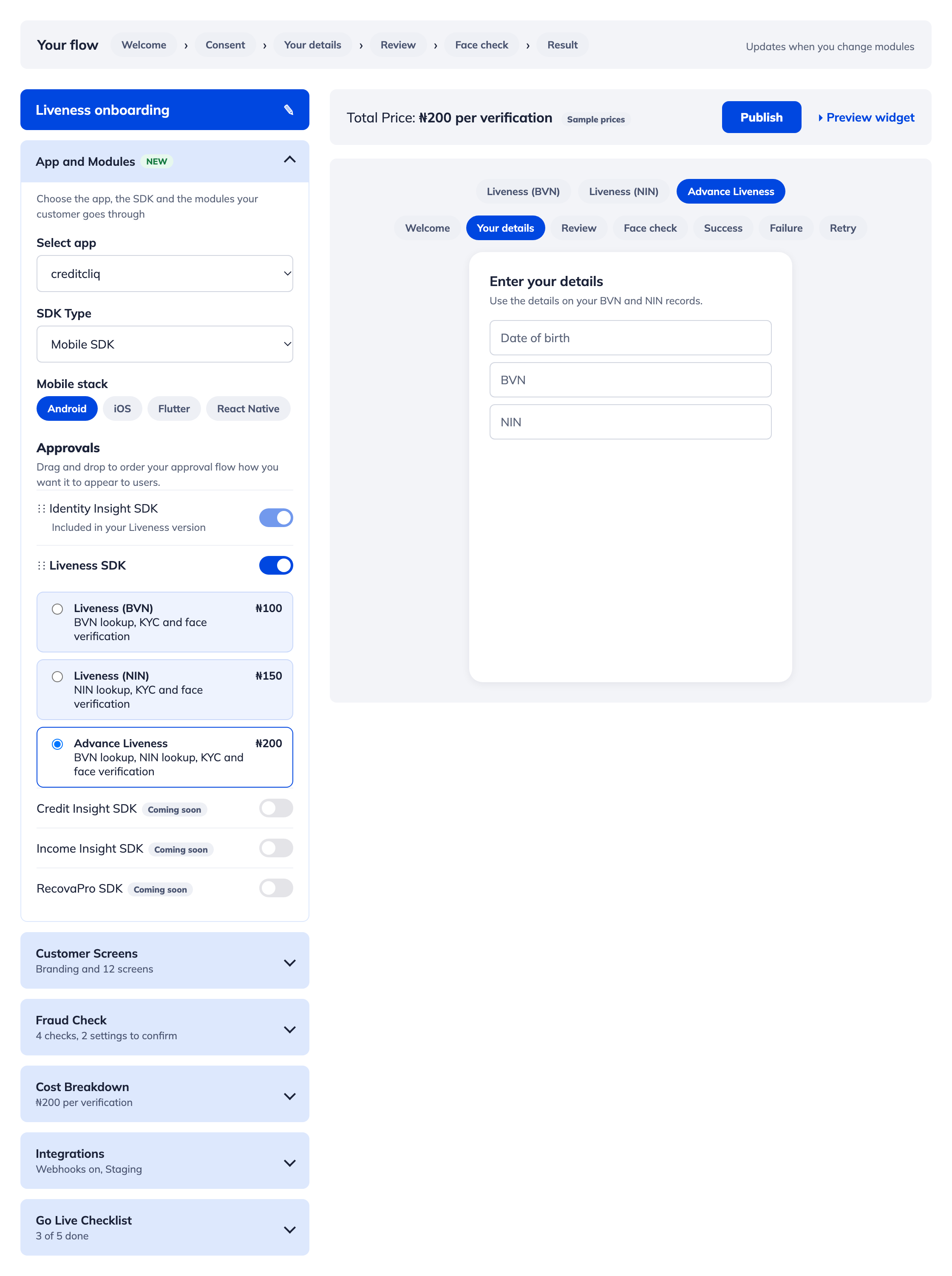
The top bar shows the total price per verification, a Publish button and Preview widget. In the preview you can switch between versions (Liveness BVN, Liveness NIN, Advance Liveness) and between screens (Welcome, Your details, Review, Face check, Success, Failure, Retry).
Setup parameters
Each setup section is a collapsible panel. Pick a tab to see what each one controls.
- App and Modules
- Customer Screens
- Fraud Check
- Cost Breakdown
- Integrations
- Go Live Checklist
Choose the app, the SDK and the modules your customer goes through.
| Setting | Options |
|---|---|
| Select app | One of the apps on your account |
| SDK type | Mobile SDK (and others, depending on your plan) |
| Mobile stack | Android, iOS, Flutter, React Native |
Approvals. Drag and drop the modules to set the order your customer sees them in.
- Identity Insight SDK: included in every Liveness version.
- Liveness SDK: turn it on, then pick one version:
| Version | What it includes | Price* |
|---|---|---|
| Liveness (BVN) | BVN lookup, KYC and face verification | ₦100 |
| Liveness (NIN) | NIN lookup, KYC and face verification | ₦150 |
| Advance Liveness | BVN lookup, NIN lookup, KYC and face verification | ₦200 |
Credit Insight, Income Insight and RecovaPro SDKs are coming soon.
*Sample prices. Check with the CreditChek Commercial (Sales) Management at [email protected] for current pricing.Branding
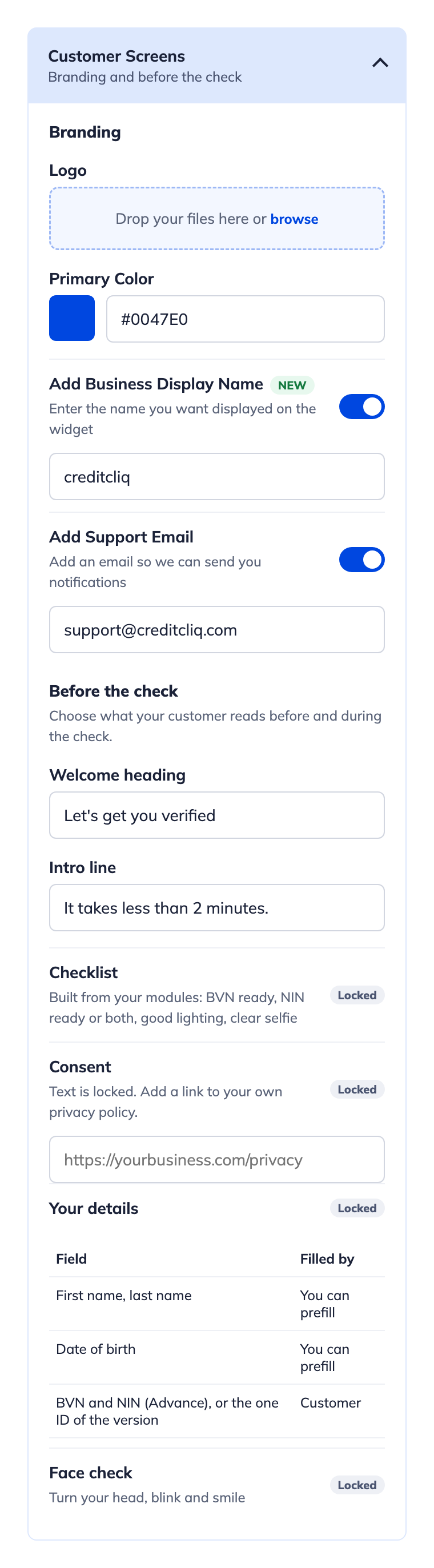
- Logo: upload your logo.
- Primary color: a hex value, for example
#0047E0. - Business display name (new): the name shown on the widget.
- Support email: where we send you notifications.
Before the check
| Item | Status |
|---|---|
| Welcome heading and intro line | Editable |
| Checklist (built from your modules: BVN ready, NIN ready or both, good lighting, clear selfie) | Locked |
| Consent text (you can add a link to your own privacy policy) | Locked |
| Your details fields | Locked |
| Face check prompts (turn your head, blink, smile) | Locked |
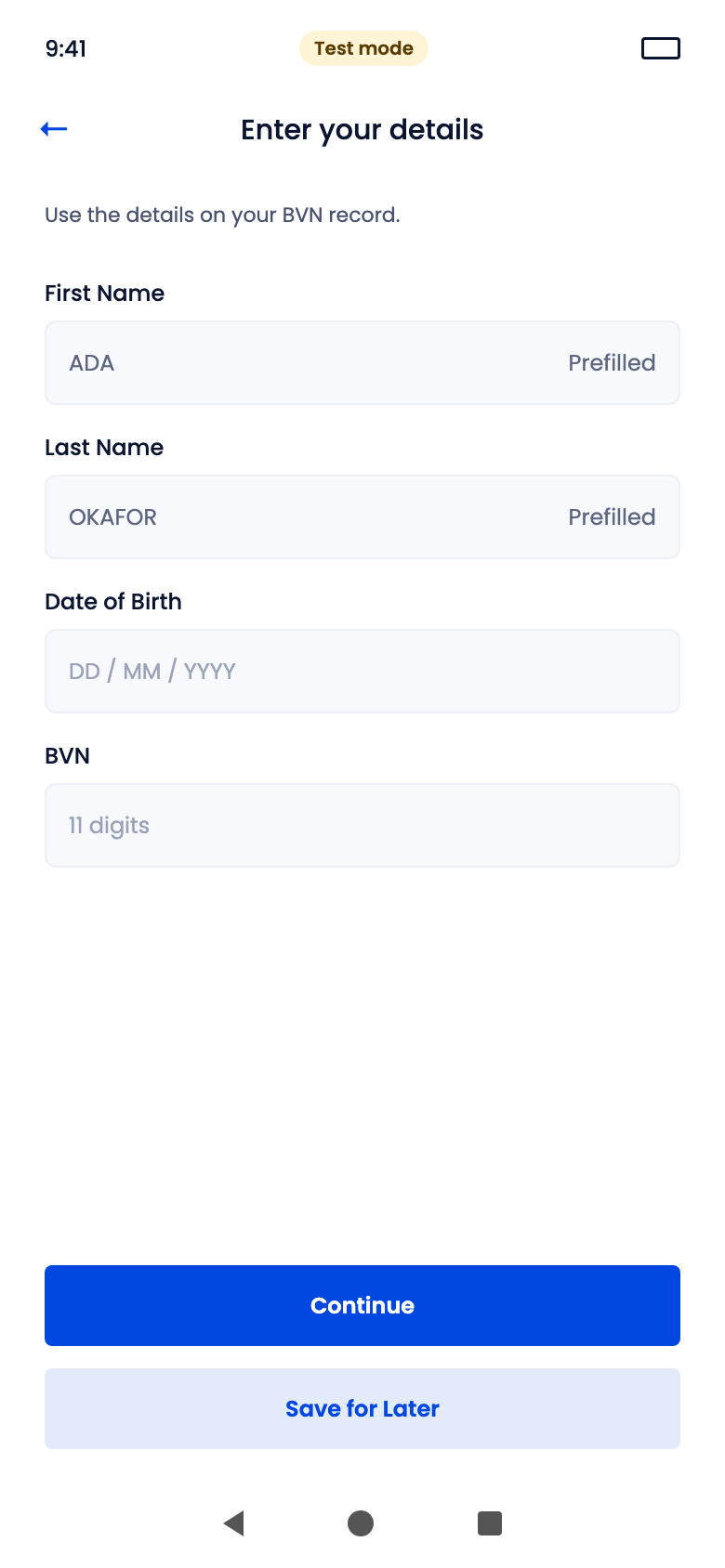
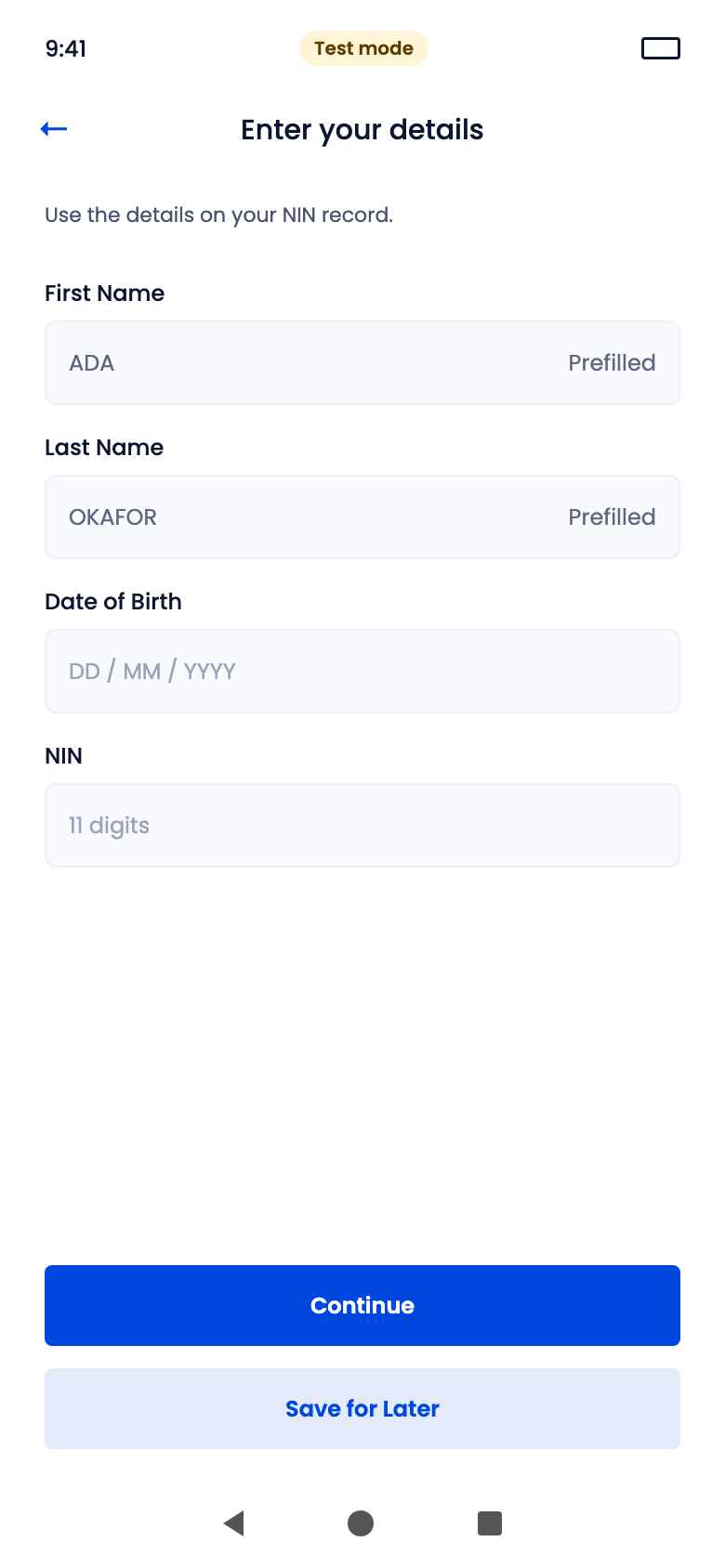
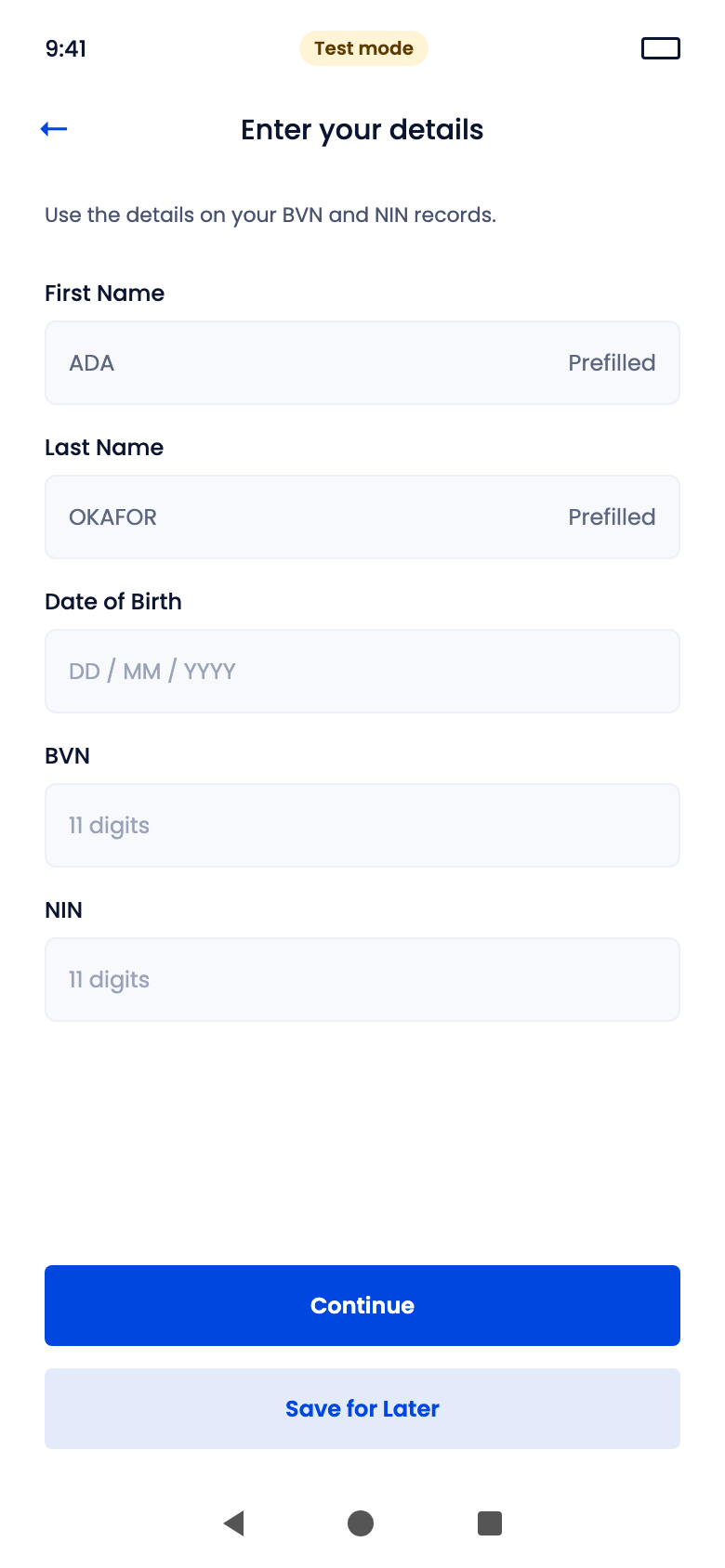
You can prefill first name, last name and date of birth. The customer always types their BVN, NIN or both, depending on the version.
After the check
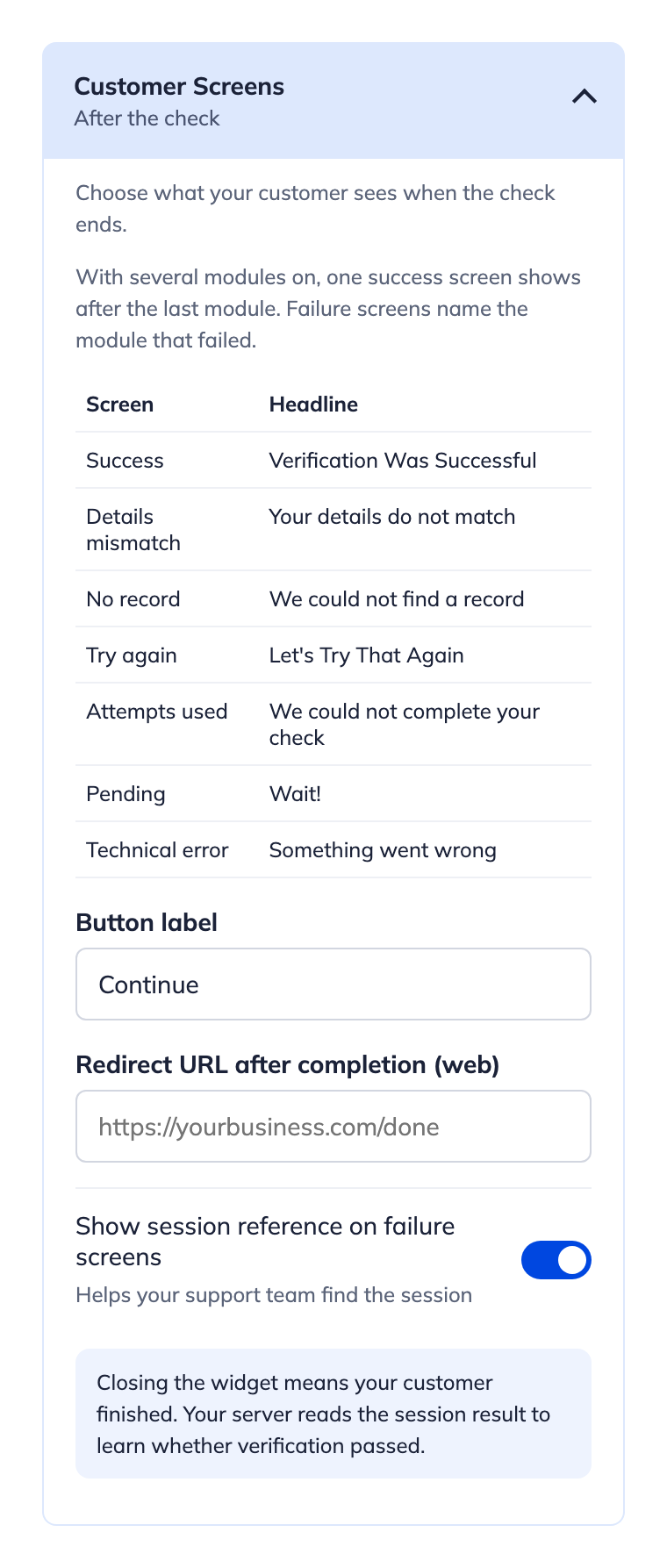
You can set the button label, a redirect URL for web, and whether failure screens show a session reference for your support team. If several modules are on, one success screen shows after the last module, and failure screens name the module that failed.
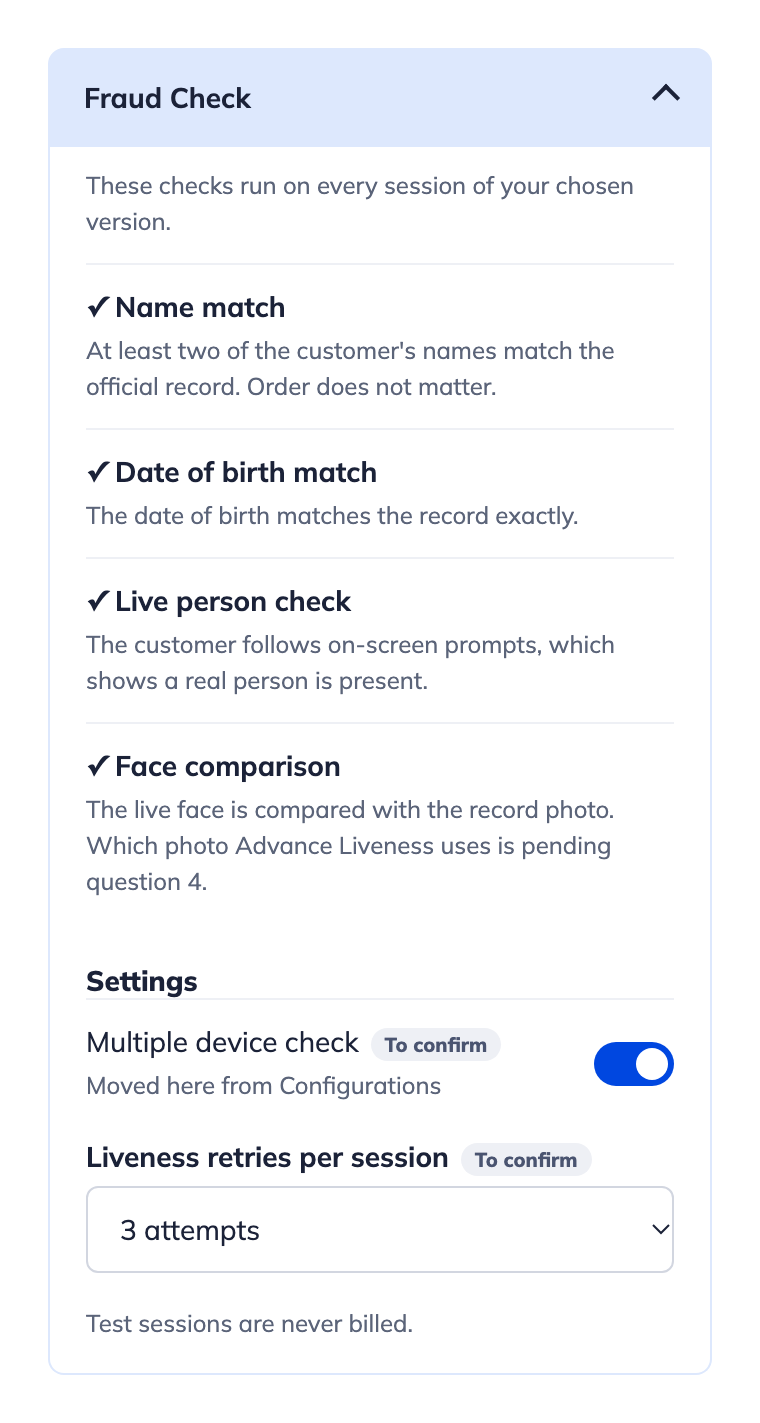
These checks run on every session of the version you choose.
| Check | Passes when |
|---|---|
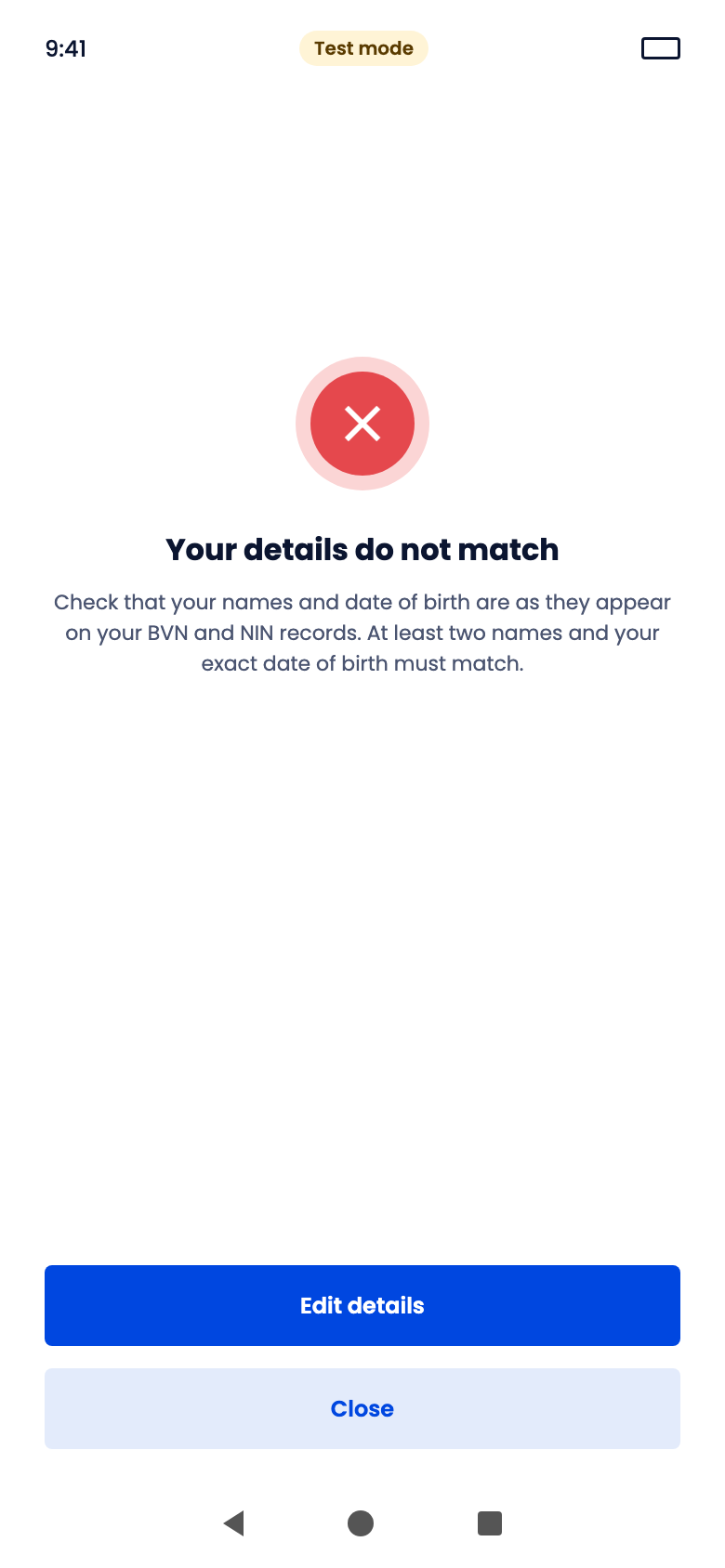
| Name match | At least two of the customer's names match the official record. Order does not matter. |
| Date of birth match | The date of birth matches the record exactly. |
| Live person check | The customer follows the on-screen prompts, which shows a real person is present. |
| Face comparison | The live face matches the photo on the record. |
Settings
- Multiple device check: on or off.
- Liveness retries per session: for example, 3 attempts.
Test sessions are never billed.
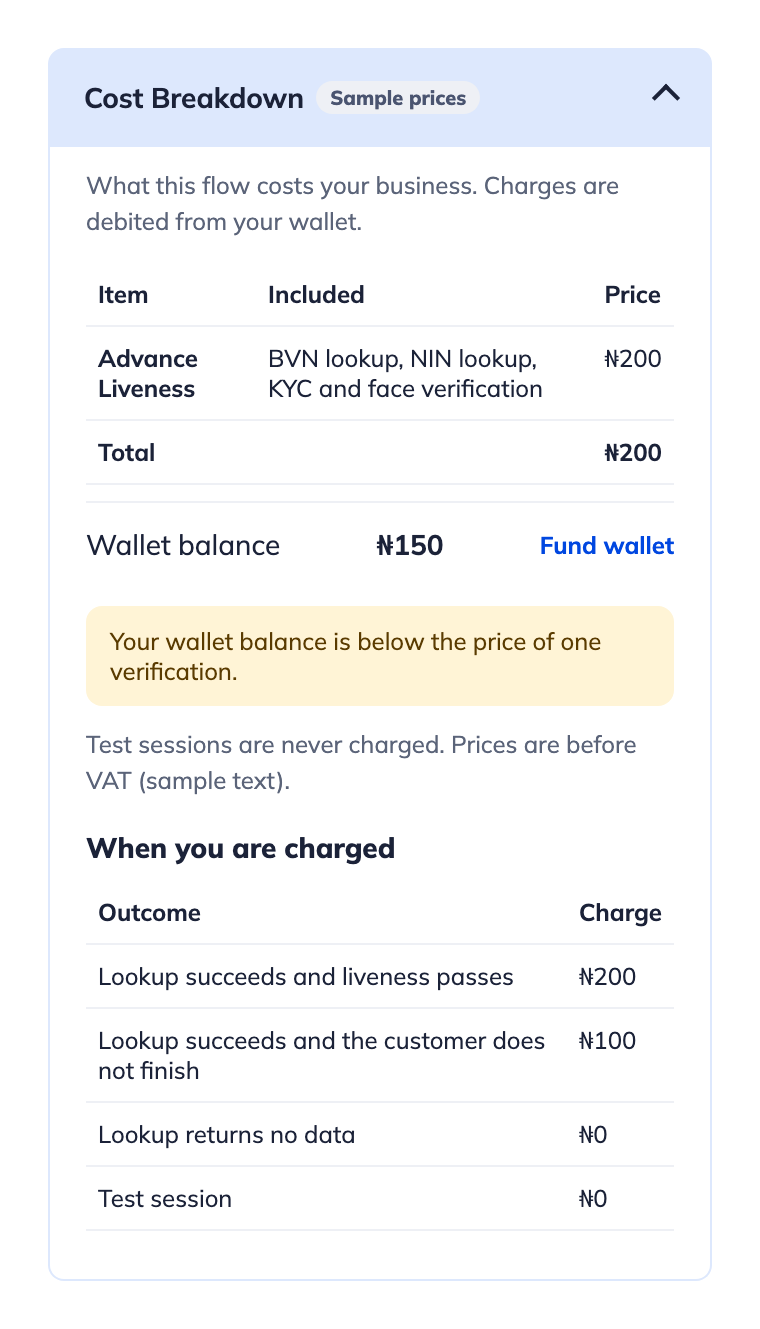
This panel shows what the flow costs your business. Charges come out of your wallet, and a warning appears if your balance is below the price of one verification.
When you are charged (sample, Advance Liveness)
| Outcome | Charge |
|---|---|
| Lookup succeeds and liveness passes | ₦200 |
| Lookup succeeds but the customer does not finish | ₦100 |
| Lookup returns no data | ₦0 |
| Test session | ₦0 |
These Prices here are samples and shown before VAT. See Wallet balance to fund your wallet.
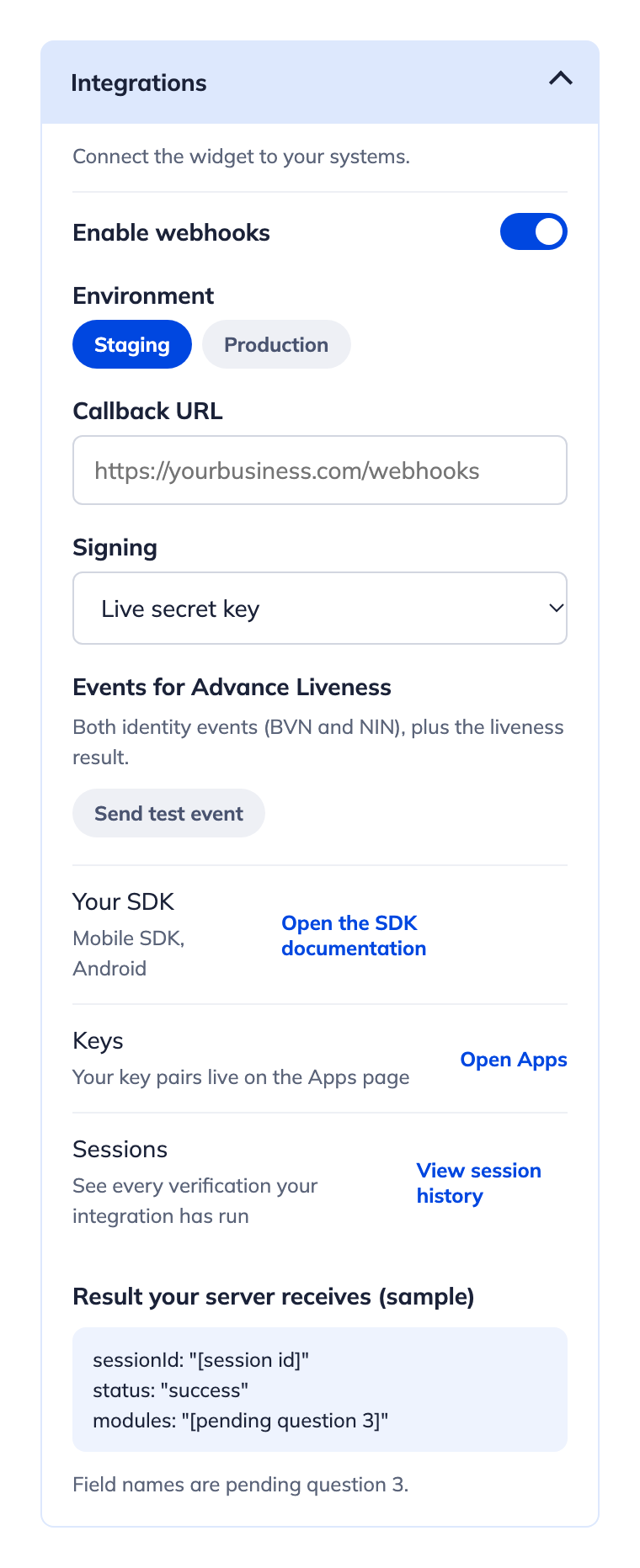
Connect the widget to your systems.
| Setting | Description |
|---|---|
| Enable webhooks | Turn webhook delivery on or off. |
| Environment | Staging or Production. |
| Callback URL | Your endpoint, for example https://yourbusiness.com/webhooks. |
| Signing | Your live secret key, or a custom secret. |
| Events | Depend on the version. Advance Liveness sends both identity events (BVN and NIN) plus the liveness result. |
Click Send test event to check your endpoint. The panel also links to the SDK documentation, your key pairs on the Apps page, and your session history.
Result your server receives (sample)
sessionId: "[session id]"
status: "success"
modules: "[result per module]"
Field names in this sample are not final. See Webhooks for the current payload.
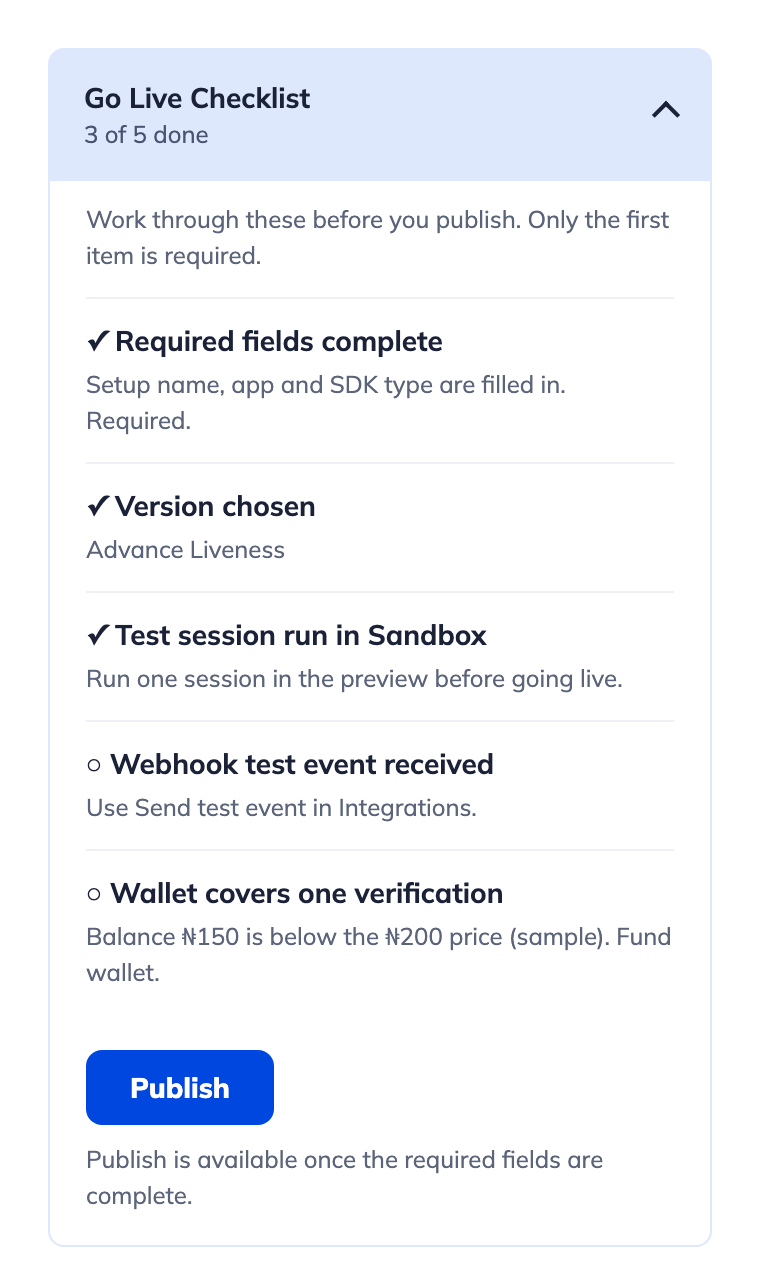
Work through this list before you publish. Only the first item is required.
- Required fields complete (required): setup name, app and SDK type.
- Version chosen: for example, Advance Liveness.
- Test session run in Sandbox: run one session in the preview.
- Webhook test event received: use Send test event in Integrations.
- Wallet covers one verification: fund your wallet if the balance is too low.
Publish becomes available once the required fields are complete.
Customer flow
Your customer moves through these steps inside the widget:
Welcome → Consent → Your details → Review → Face check → Result
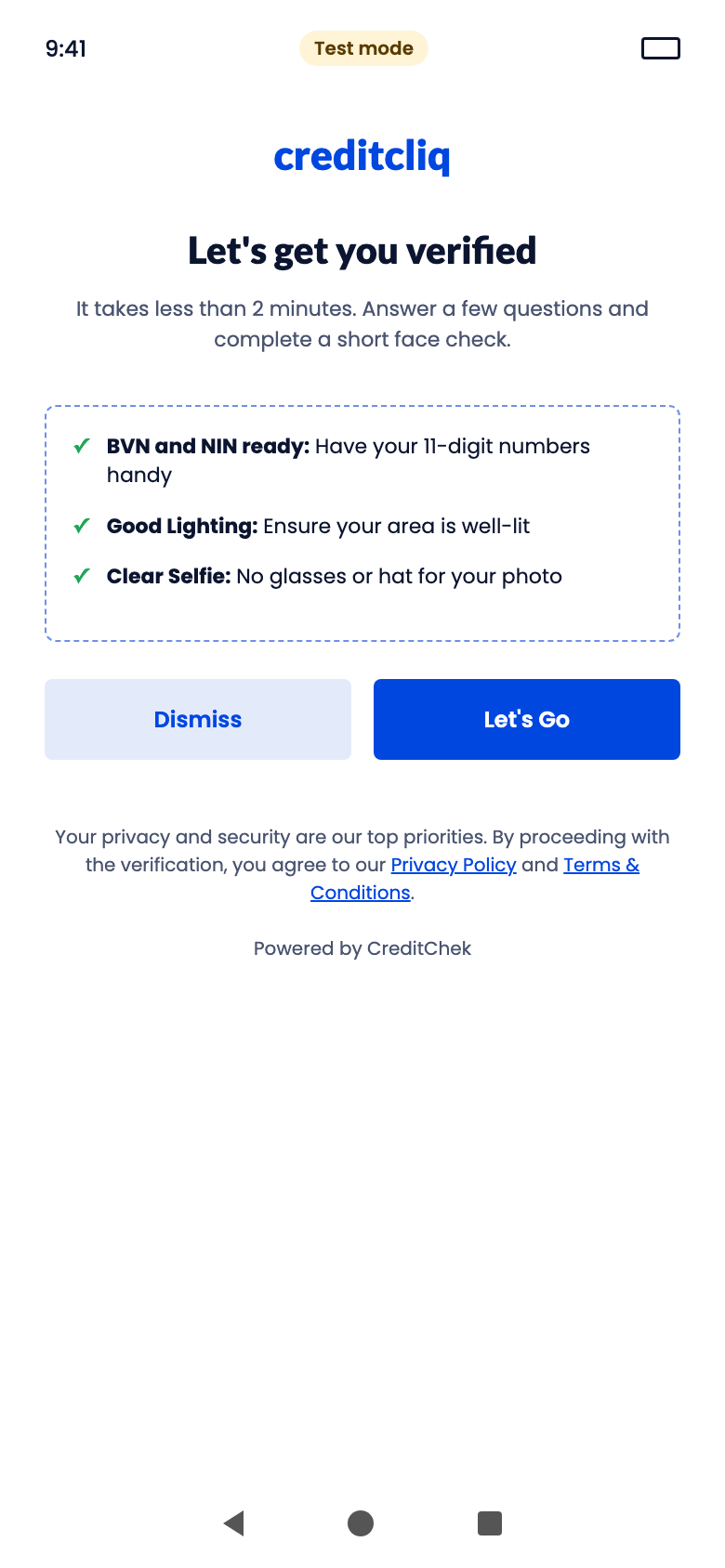
The widget shows a Test mode badge while you are in Sandbox. Pick a tab to see each step.
- 1. Welcome and consent
- 2. Your details
- 3. Review
- 4. Face check
- 5. Result
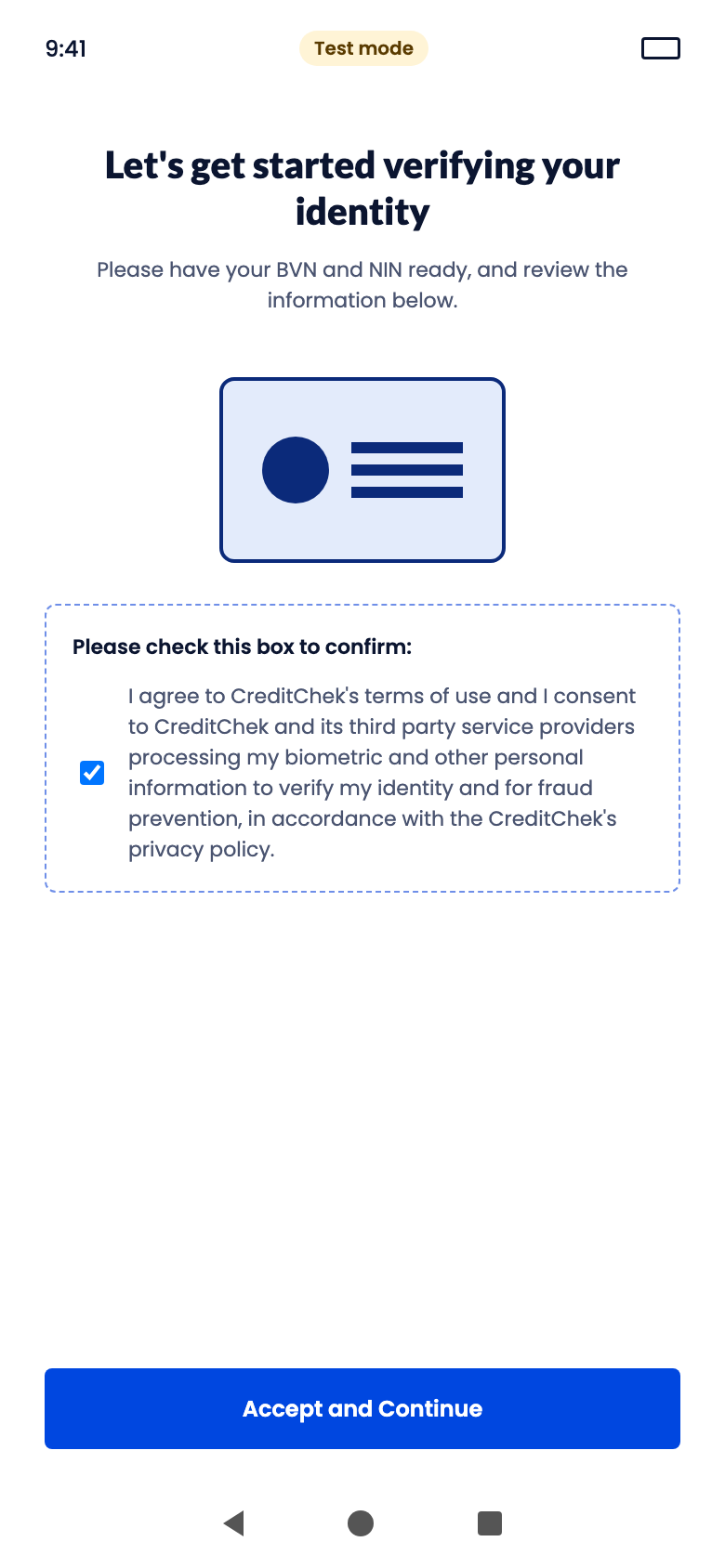
The welcome screen shows your logo, your heading and intro line, and a checklist built from your modules. On the consent screen, the customer agrees to CreditChek's terms and the processing of their biometric data.
The fields depend on the version you chose. First name, last name and date of birth can be prefilled by you. The customer types the ID number, or can tap Save for Later.
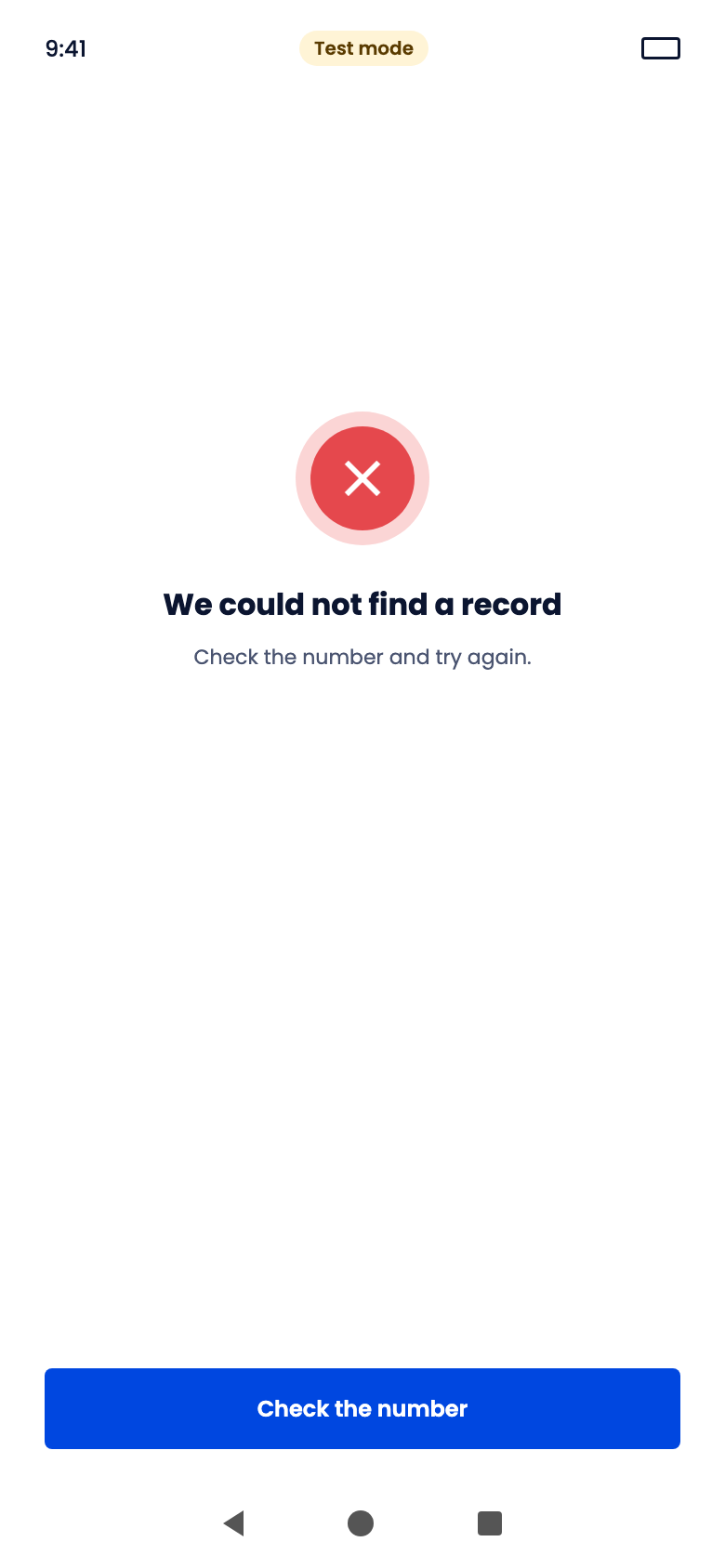
The customer checks their details before the lookup runs. ID numbers are masked. If a lookup fails, the customer sees one of the error screens and can edit their details or check the number.
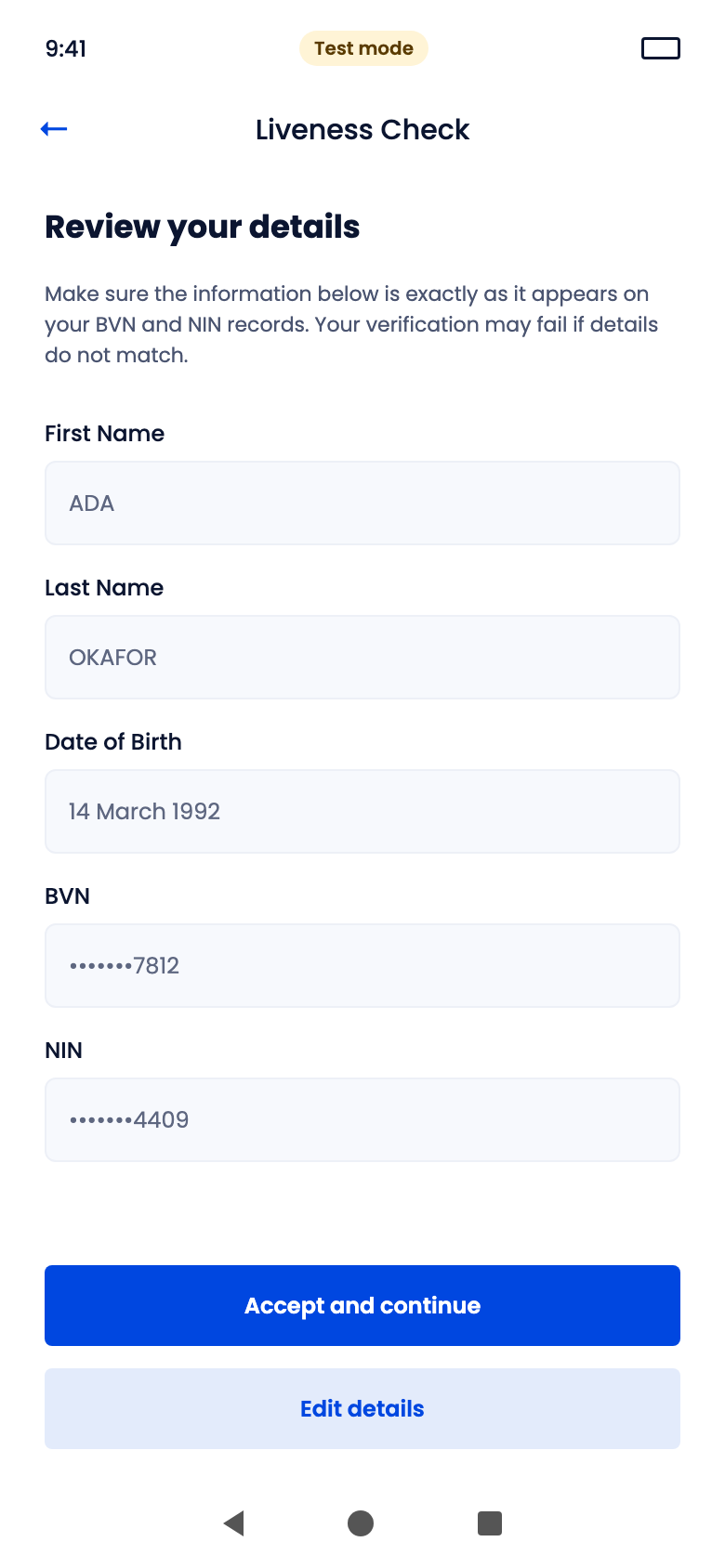
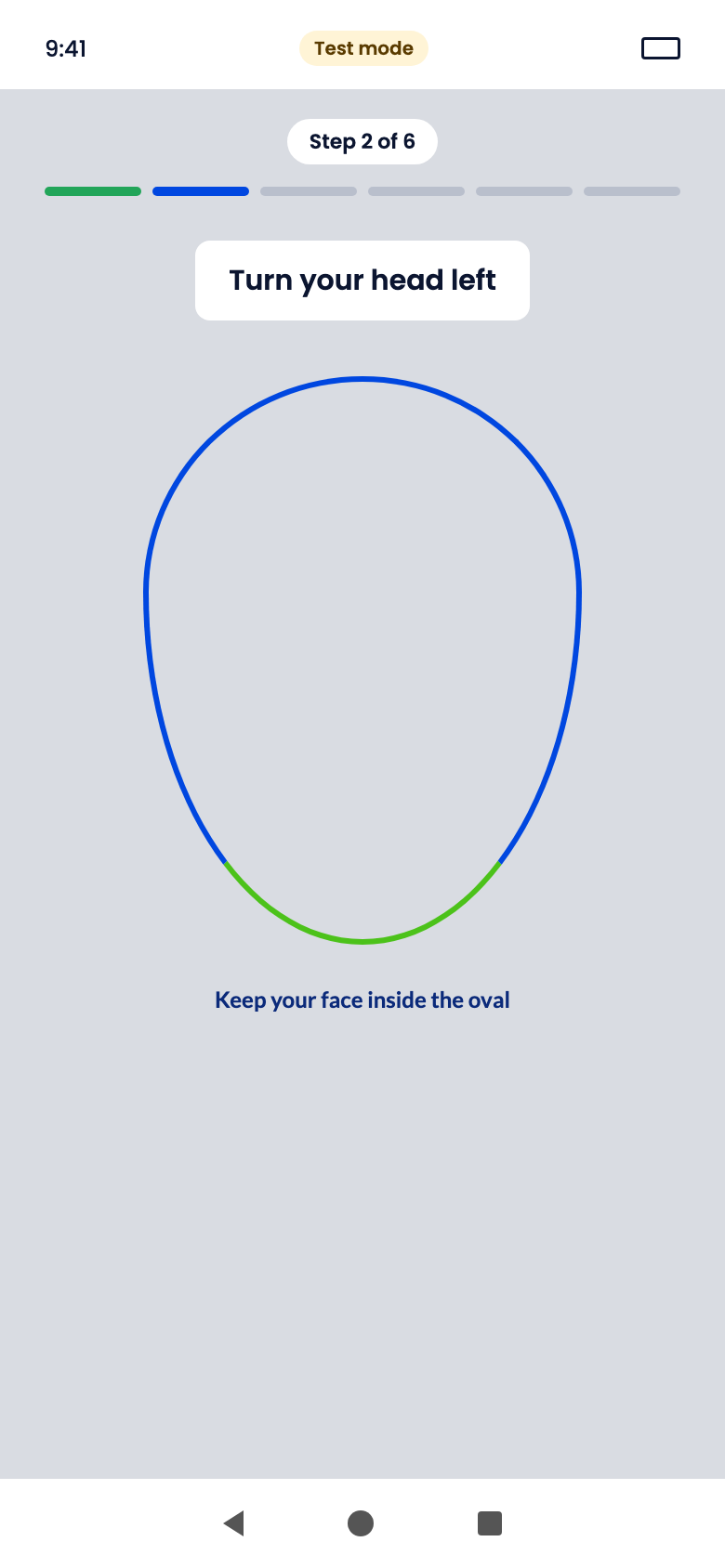
The customer follows on-screen prompts (turn your head, blink, smile) while keeping their face inside the oval. If a capture fails, the Try again screen shows their capture next to the ideal pose and counts the attempts used.
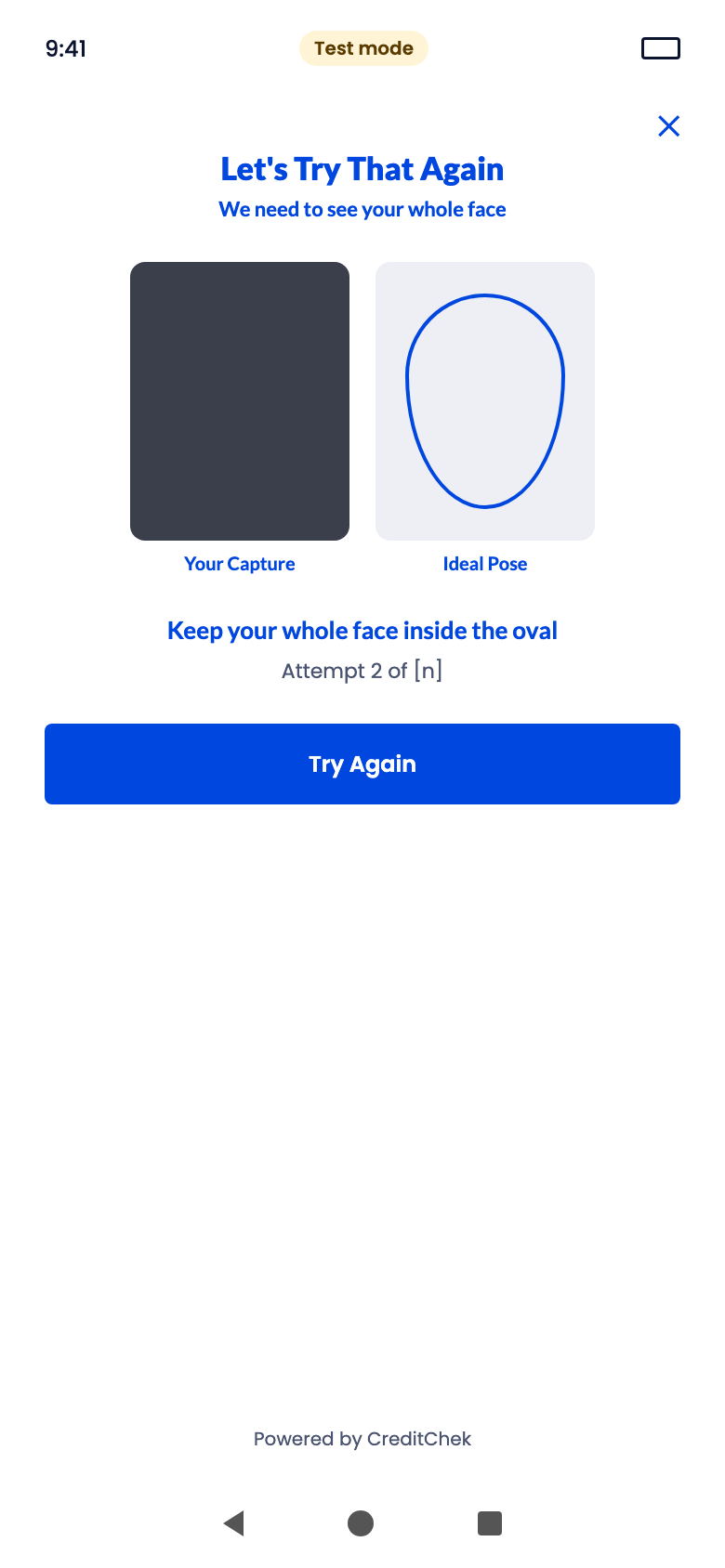
The session ends with one of these screens. Pending means the result has not arrived yet, and it will be sent to your business when it does.
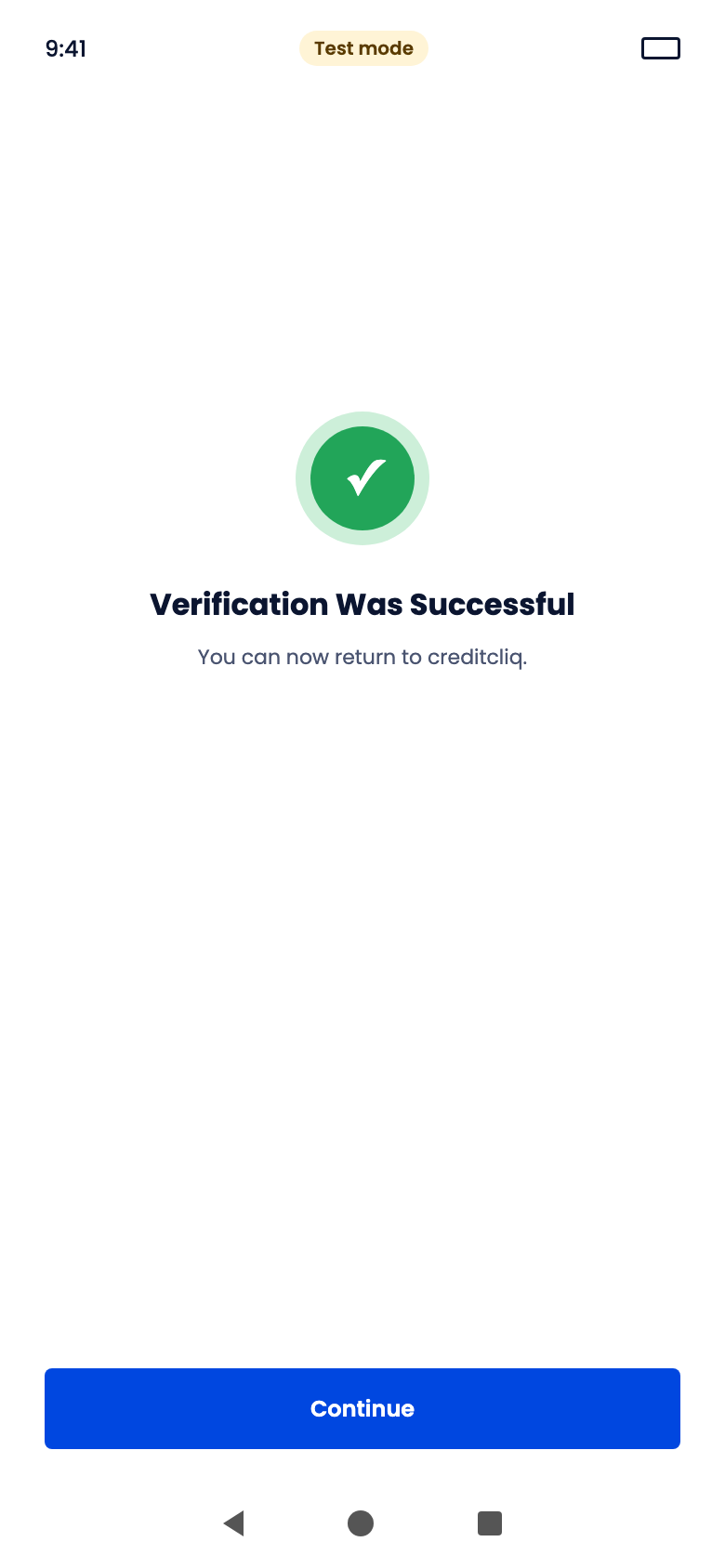
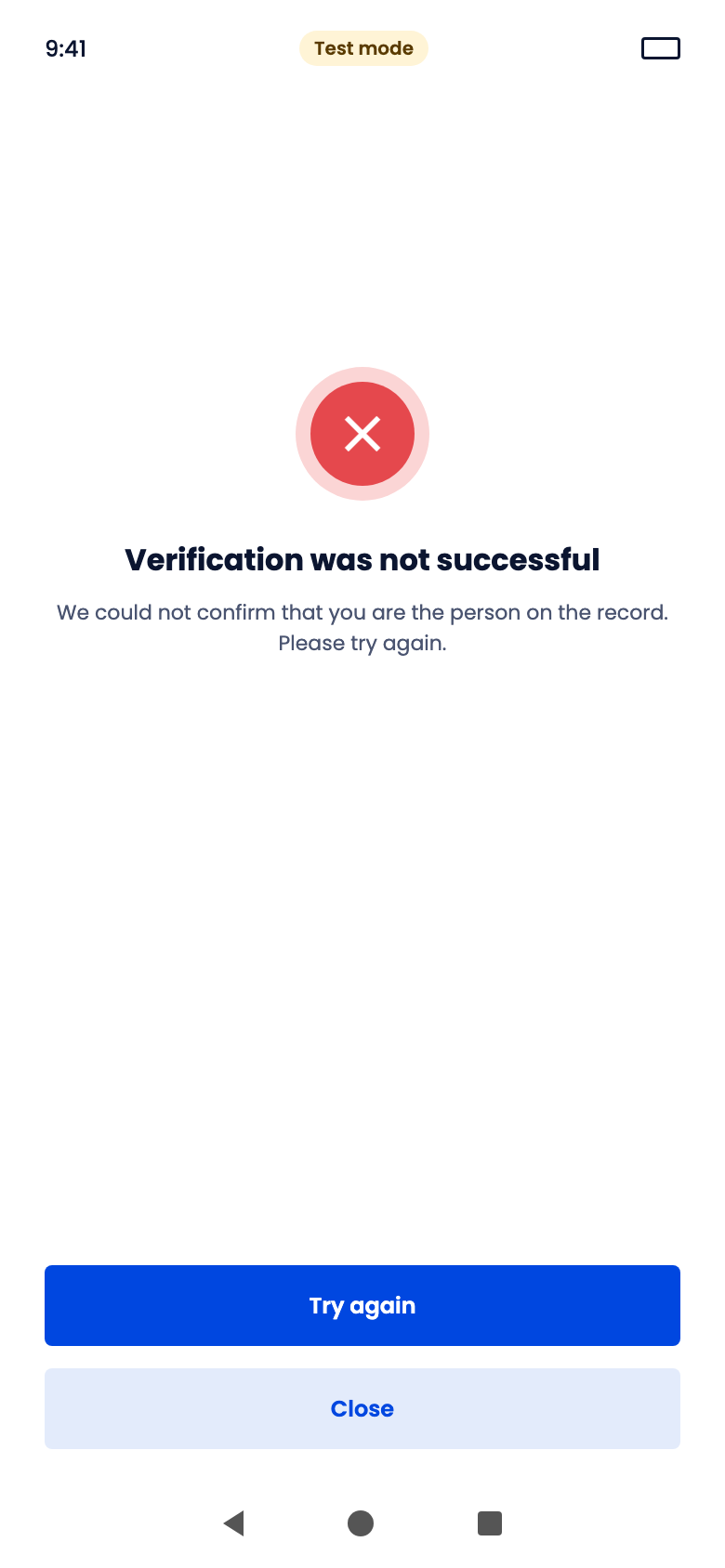
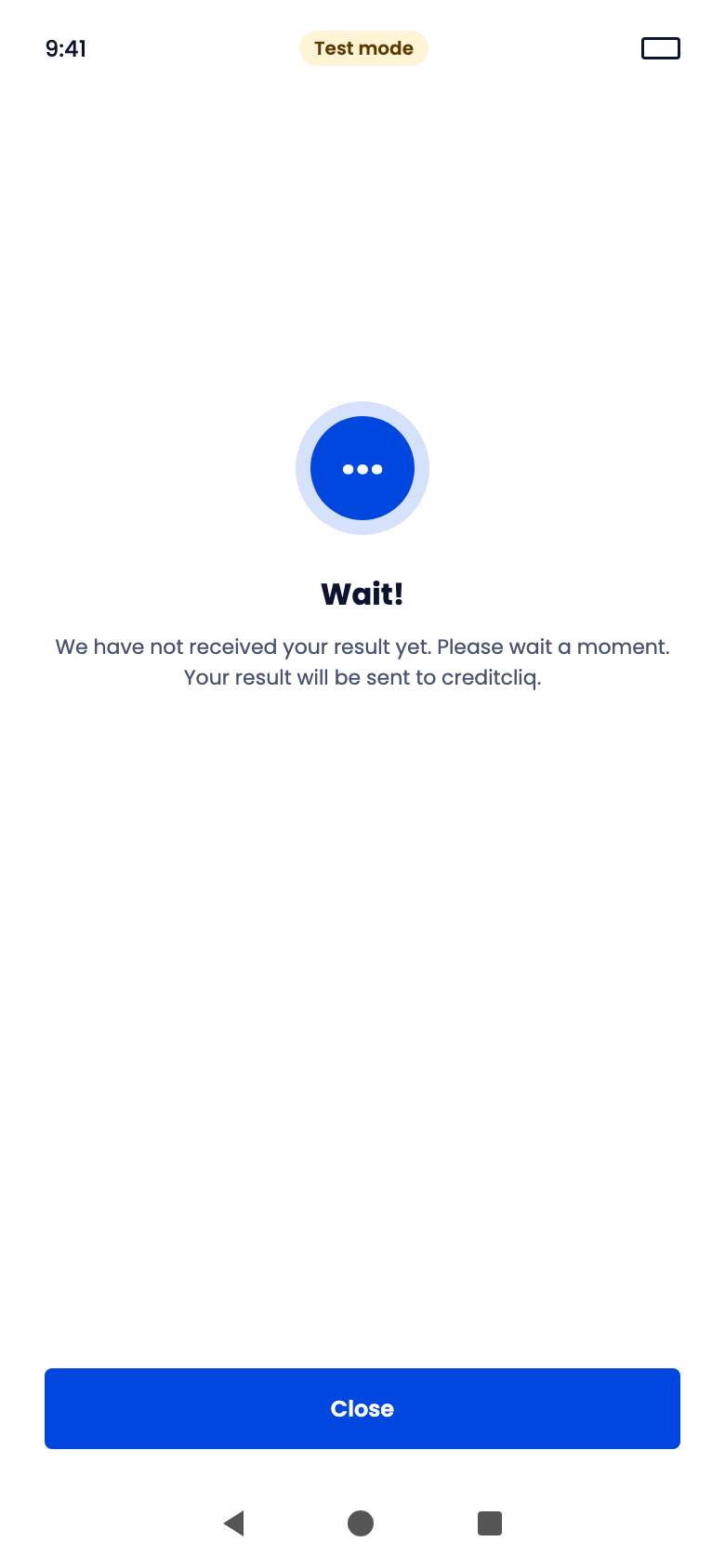
All result screens and their headlines
| Screen | Headline |
|---|---|
| Success | Verification Was Successful |
| Details mismatch | Your details do not match |
| No record | We could not find a record |
| Try again | Let's Try That Again |
| Attempts used | We could not complete your check |
| Pending | Wait! |
| Technical error | Something went wrong |
When the widget closes, your customer has finished. It does not mean they passed. Your server should read the session result, either from the webhook or from your session history, to find out whether verification passed.